

TEXT TO IMAGE · IDEOGRAM 4.5

Ideogram 4.5 Image Generator

Give your ideas a visible form. Use Ideogram 4.5 to create expressive artwork, typography-led posters and product concepts from a written prompt.

  • 5 aspect ratios
  • 3 quality levels
  • Credits shown before you generate

Describe your image

Start with a subject, then add the setting, style and exact words you want to see.

3–4,000 characters. Put any text you want in the image inside quotation marks.

0/4,000

Expand a short idea with extra visual detail. Turn this off to keep your wording unchanged.

One image per request. Paid credits are reserved when you start and returned if generation fails.

Your image

Preview the full result here, then download it when you are ready.

Coffee poster with cream SLOW MORNINGS lettering and a blue ceramic cup on a terracotta background
Creative illustration · made with imagegen

Start with an idea you can picture

Explore two directions for your next Ideogram 4.5 prompt. These imagegen illustrations show creative concepts, not verified outputs or performance benchmarks from Ideogram 4.5.

Coffee poster with cream SLOW MORNINGS lettering and a blue ceramic cup on a terracotta background
Creative illustration · made with imagegen

Posters with a point of view

Plan the headline, visual hierarchy and atmosphere together. For an Ideogram 4.5 poster, name the words, letter style and placement before adding background detail. Keep the message short enough to check at a glance.

A landscape coffee festival poster reading "SLOW MORNINGS" in large cream serif letters, with a blue ceramic coffee cup on a terracotta plinth. Warm peach background, soft morning light, editorial print texture, generous margins and clear visual hierarchy.
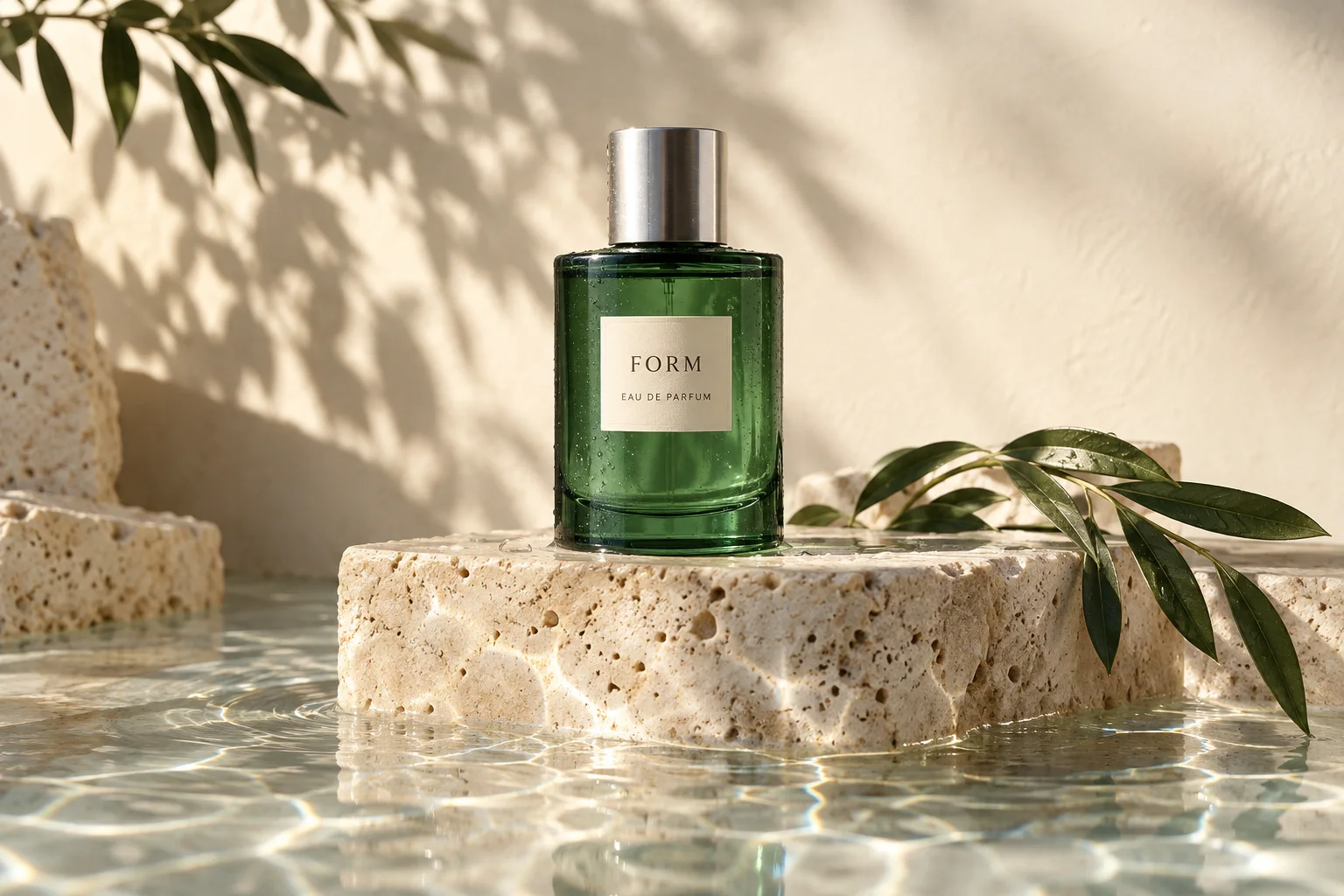
Green glass perfume bottle on cream travertine with botanical shadows and reflected sunlight
Creative illustration · made with imagegen

Product concepts with a mood

Describe the material, light and surface around your subject. An Ideogram 4.5 product concept can help you explore a campaign direction before a shoot. Check labels, proportions and product details before using the result.

An editorial product photograph of an emerald green glass perfume bottle on cream travertine. A small label reads "FORM". Brushed silver cap, botanical shadows, soft morning sunlight, detailed glass refraction and a calm, spacious composition.

What can you make with Ideogram 4.5?

Ideogram 4.5 turns a description into a new image. This Ideogram image generator brings that workflow into your existing account: write a prompt, set the frame and quality, then review the result. Use it for poster ideas, social graphics, illustration studies and product campaign concepts.

This page connects to the Ideogram 4.5 text-to-image model. It creates a fresh image from words. Reference uploads, masks and precise edits to an existing image are separate workflows and are not available in this workbench.

How to use the Ideogram 4.5 image generator

Move from a written idea to a downloadable image in three steps. The Ideogram generator keeps your settings and estimated credit cost visible before you start.

  1. 01

    Describe the main idea

    Name the image type and subject first. Add the scene, palette and lighting. For a poster or label, put the exact visible words in quotation marks and describe their placement.

  2. 02

    Choose your frame and quality

    Select a square, landscape or portrait frame to suit the placement. Choose a quality level and check the credit cost. Prompt enhancement can add detail to a short description.

  3. 03

    Generate, inspect and download

    Sign in with enough paid credits and start generation. Inspect text, edges and composition in the preview. Download the result or change one part of your prompt for another version.

Write better Ideogram 4.5 prompts

Useful Ideogram 4.5 prompts describe visible decisions. Begin with the subject and image type, then give the model the details that matter to your idea. A clear sentence usually gives you more control than a long list of unrelated styles.

Make the words part of the design

Put a headline in quotation marks and specify whether it belongs at the top, on packaging or inside a sign. Name one clear typographic direction. Ideogram 4.5 can generate text within an image, but you should still proofread every letter and number.

Describe the relationship between objects

Say what sits in front, what stays in the background and where the eye should land first. Choose the aspect ratio in the controls rather than adding command-style flags to your prompt. Leave room around text you plan to crop.

Change one decision at a time

Keep the subject stable while you try a different palette, camera distance or lighting setup. For an exact written brief, disable prompt enhancement. Each new Ideogram 4.5 request creates a new image and uses the credits shown on the button.

Ideogram 4.5 test output: TAKE THE SLOW ROAD travel poster with a seaside village at sunrise
Generated with Ideogram 4.5 · Low · 1152 × 864

Try an illustrated travel poster

An editorial travel poster of a quiet seaside village at sunrise. A clear headline reads "TAKE THE SLOW ROAD" in large cream serif letters. Terracotta rooftops, blue water, warm peach sky, subtle paper texture, generous margins.

Choose the quality your idea needs

Ideogram 4.5 pricing on this page uses your site credit balance. The selected quality determines the charge; switching between the five aspect ratios does not change it. These credits are separate from an Ideogram subscription.

Low

5 credits / image

Explore a direction and compare different prompt ideas with the lowest credit cost.

Medium

10 credits / image

A practical starting point when you want to assess both composition and image detail.

High

34 credits / image

Choose the highest quality tier for a concept you want to inspect more closely.

Quality is a generation setting, not a promise of correct spelling or print readiness. Check the downloaded image at its actual dimensions before publishing.

Ideogram 4.5 questions, answered

How do I use Ideogram 4.5 here?

Enter a prompt of 3–4,000 characters, choose an aspect ratio and quality, and sign in with enough paid credits. Each request generates one image. The preview shows the finished result with a download link, and your task appears in generation history.

Can Ideogram 4.5 generate readable text?

Text rendering is one of the model’s advertised capabilities. For better direction, quote the exact words and describe their size, style and position. Output can still contain spelling or layout errors, so check names, prices and small print before publishing.

How does Ideogram 4.5 pricing work on this site?

The workbench shows the credit charge for Low, Medium and High before you start. One request produces one image. Paid credits are reserved during processing and returned to their original balance if the task fails, subject to their original expiry. Ideogram pricing plans and API credits purchased elsewhere do not transfer here.

Does this page support image editing or reference uploads?

This workbench supports text-to-image generation. Ideogram 4.5 also has an editing API, but masks, reference uploads and multi-turn image editing are not included on this page. For removing existing text, use the linked text-removal tool.

Were the example images generated with Ideogram 4.5?

The coffee poster and perfume concept were made with imagegen and are labeled as creative illustrations. The travel poster in the prompt guide is an actual Ideogram 4.5 Low-quality result. Images created through the Generate image button use the connected Ideogram 4.5 model; results vary with the prompt and settings.

Can I use the generated image for a business project?

Review the site terms and the requirements for your intended use. Check any trademarks, recognizable people and third-party material in the result. An AI-generated image is not a guarantee of exclusive rights, trademark clearance or production-ready accuracy.

Is this an Ideogram 4.5 open source download?

This is a hosted browser tool. You do not install model weights or run a local GPU to generate here. For current self-hosting availability and licensing, consult the model provider’s own documentation; this page does not distribute weights.

Keep working on your images

After exploring an Ideogram 4.5 concept, use the existing image tools when your next task is cleanup. Upload only images you own or have permission to edit.

Make your next idea an image

Start with a few considered words. Choose your settings and create with Ideogram 4.5.

Back to the generator

An independent tool on AI Remove Text. Ideogram is the model provider’s name.

Model and prompting references: Official prompting guide · Model specifications and Ideogram API pricing